
System user, super user and users with report viewer privileges can view and manage campaign reports. The structure of multiple channel campaign is different from Email and A/B Split Test campaign report. The campaign report includes summary report, customer activities, links analysis and report data export.
In multiple channel campaign category page, you can move mouse over a campaign to view report.

The multiple channel campaign report includes three tab pages: Overview, Email and SMS.
Multiple Channel Campaign Overview Report
The overview page of multiple channel campaign report displays all channel data information of current multiple channel campaign.
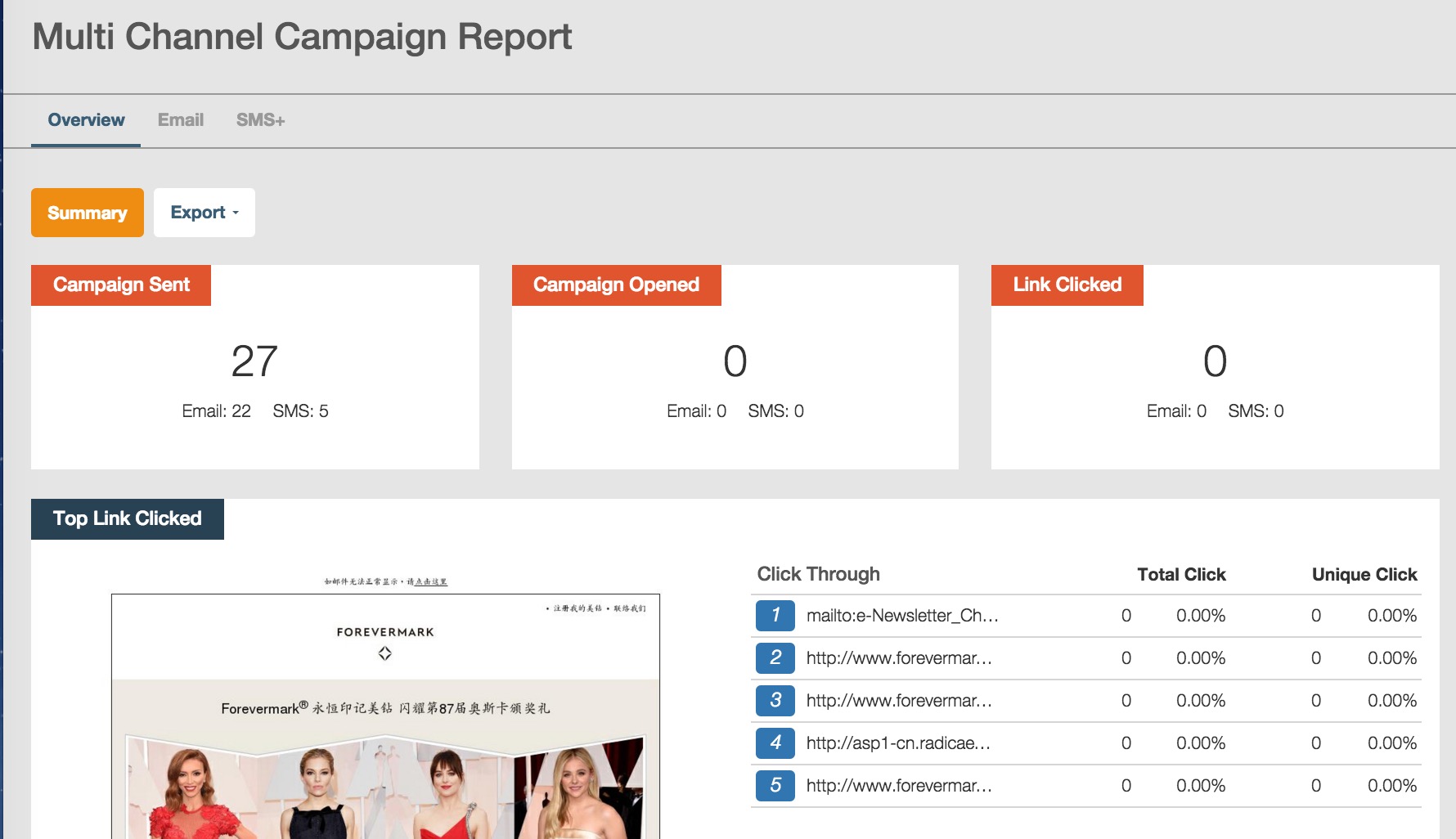 1. Campaign Sent: display the total number of sent Email and SMS messages.
- Independent total sent email messages.
- Independent total sent SMS messages.
2. Campaign Opened: display the total number of unique opened Email and SMS messages.
- Independent total email opened messages.
- Independent total unique opened landing pages through clicking the short link in SMS messages.
3. Link Clicked: total number of Email and SMS unique clicked messages.
- Independent total clicked links in Email campaign.
- Independent total clicked links in landing pages of SMS messages.
The total clicked email messages means the total number of clicked links in email html page.
The total clicked SMS messages means the total number of unique clicked links in landing pages of SMS messages.
4. Top Link Clicked
RiMANGGIS will display the top five clicked links in html page of Email campaign and SMS landing page.
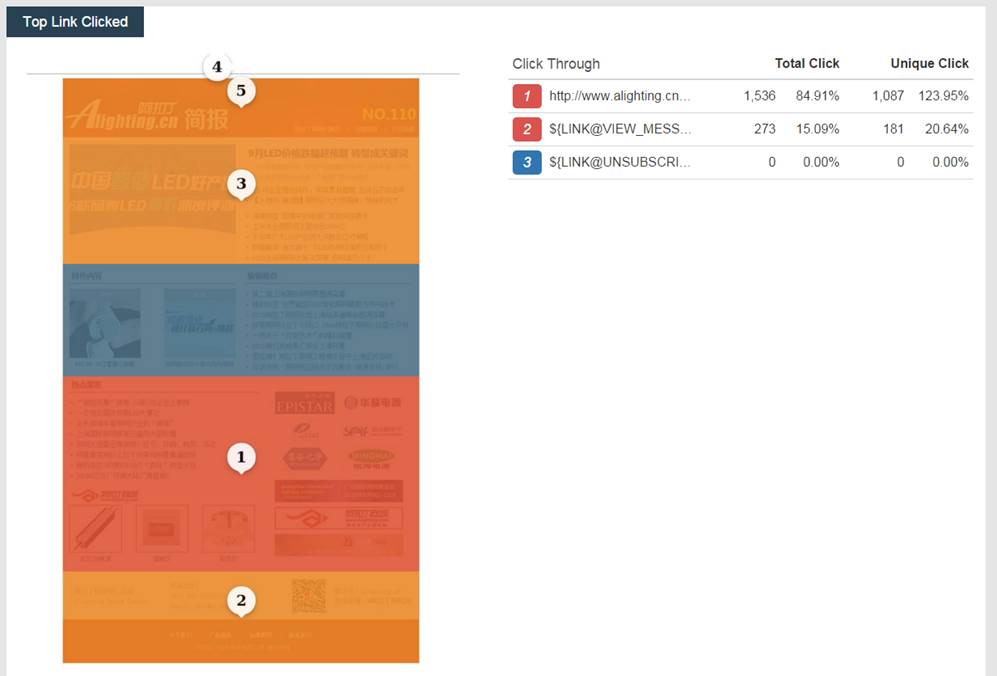
Please note that the number displayed in the heat map is not related to the ranking of top links. In heat map, the number from 1 to 5 indicates the place of most clicked links. For example, in the above screenshot image, the number “1” display in the middle place of heat map, it means the link inserted in this area is most clicked and popular. The link inserted in the top area marked as number “5” is the least clicked link. However, the link displayed in different area and marked as different number might be the same link. The heat map function helps users to find out the place of most popular link in html page and optimise the layout of html page.
The top five links only displays unique link ranking, if the same link is inserted more than once in different place of html page, the click data of each link will be merged and calculated as unique link click data.
5. Export Overview Report
You can click  to choose to export summary PDF report or transactional data in zip file.
For exported transactional data, the zip file include csv files of report type selected by users. The exported file name is multiple_channel_ campaign_ summary_report _yyyymmdd_hhmmss. For example: multiple_channel_ campaign summaryreport_20150923_183029. It indicates that the multiple channel campaign report is exported at 18:30:29, on 23th September, 2015.
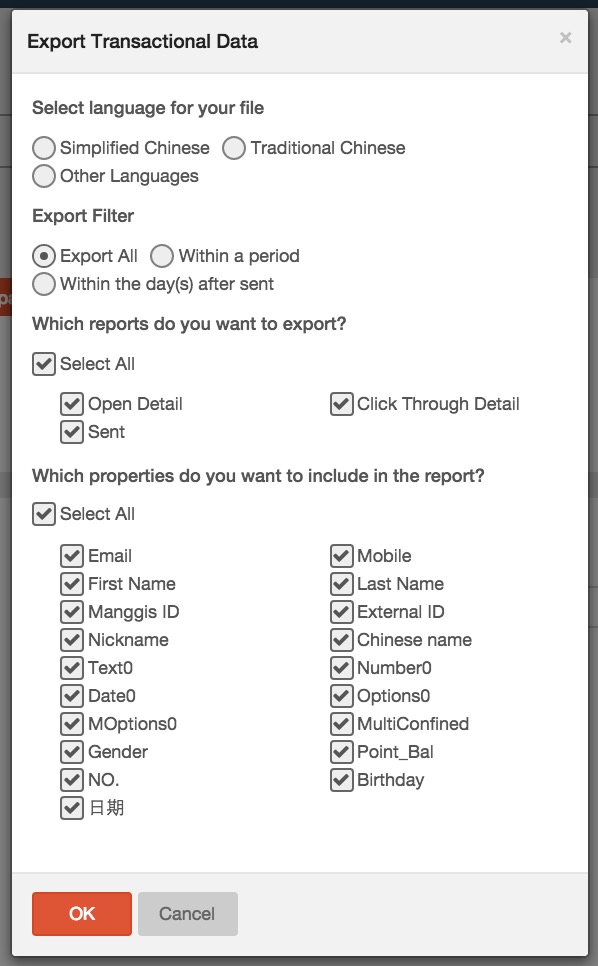
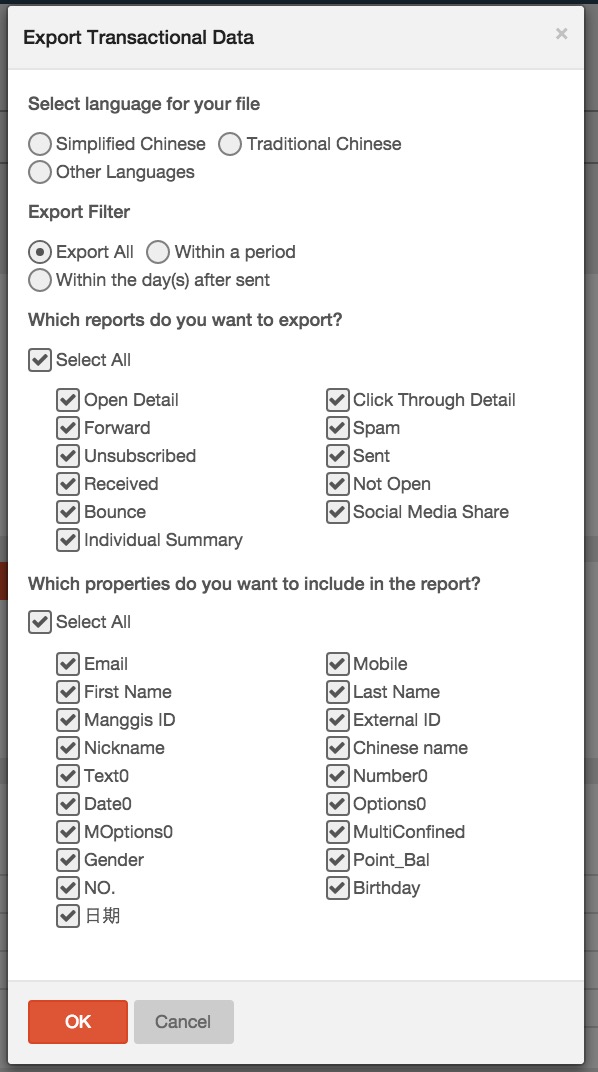
In the pop up window of campaign summary report, users can select the following options:
– Language type
– Report type: total sent, total opened, total clicked. Users can select report file type.
– Customer properties: all customer properties. Users can select properties to be exported.
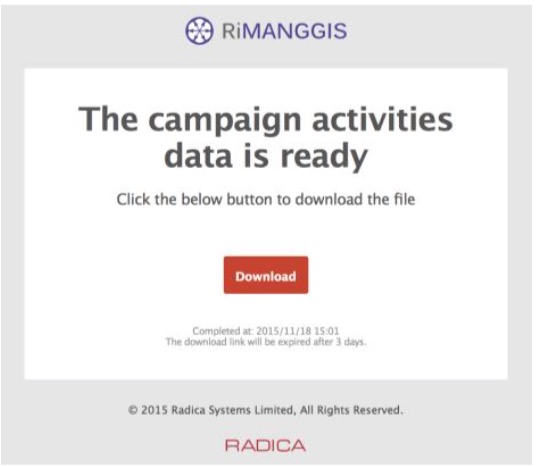
The RiMANGGIS will execute the export task at backend. You will receive notification email after the export is finished, you can click the download link to download the report file.
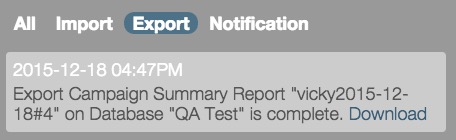
You can also open the notification panel to find the corresponding notification message and then click “Download” link to download the report file.
Email Channel Report
The email channel report is basically same with independent email campaign report page, you can refer to 7.2. Email and A/B Split Test Campaign Report.
Comparing to independent email report, the email channel report in multiple channel campaign doesn’t have activity and links tab page.
You can click  to preview your email campaign.
You can also click in email channel tab page to export email activities transactional data report.
SMS Channel Report
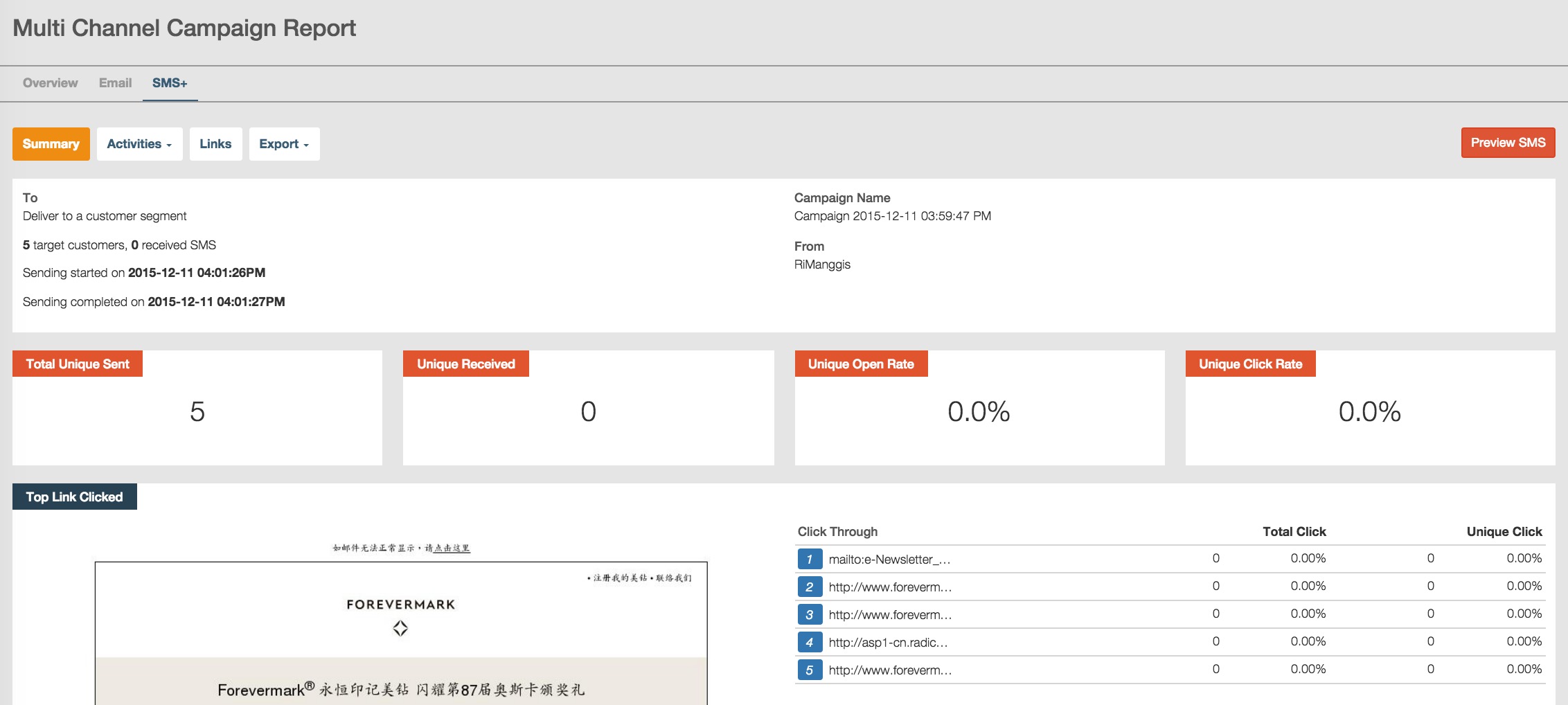
The SMS report page includes three tab pages: Summary, Activities and Links. The operation of each tab page is identical with email report page.
Summary tab page of SMS report
- Basic SMS channel information:
The basic information area of SMS report displays the total number of target SMS customers(recipients), total number of received messages, the first SMS message sending time, campaign name. For the “From” field, it displays user’s SMS account sender name, if the user does not have sender name, this field will be null.
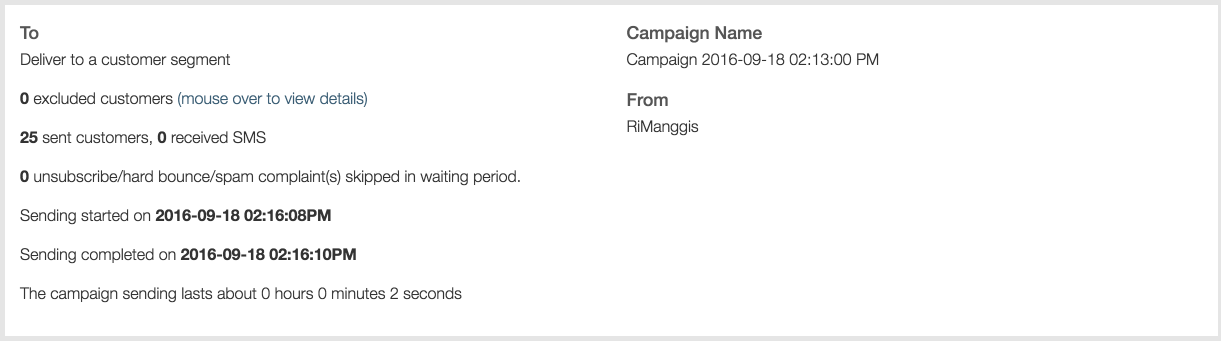
- SMS summary data:
This area displays four types of data: total sent messages from RiMANGGIS, total unique received messages by users, landing page unique open rate, and unique click rate of links in landing page.

- Total unique sent:
The total sent messages to all SMS recipients. It means the total number of sent recipients.
Unique Received: the total number of successfully received recipients.
Unique open rate= total unique opened landing pages/total unique received messages.
Unique Click rate= total unique clicked links in landing pages/total unique received messages.
- Top Link Clicked Data:
RiMANGGIS will display the top five clicked links landing page of SMS messages. You can also view the heat map of links.
SMS Activities tab
RiMANGGIS provides six types of activities data of SMS report: Open details, Click Through Detail, Unsubscribed, Sent, Received, Bounce.
You can click “Activities” and select the activities data you want to view.
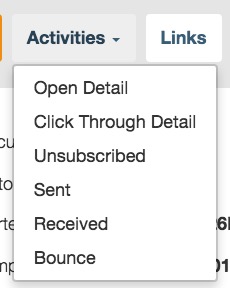
For more operation details of activities tab, you can refer to the activities tab of Email campaign report.
SMS Link tab page
The link page provide an all rounded analysis of all links in SMS landing page opened through html short link.
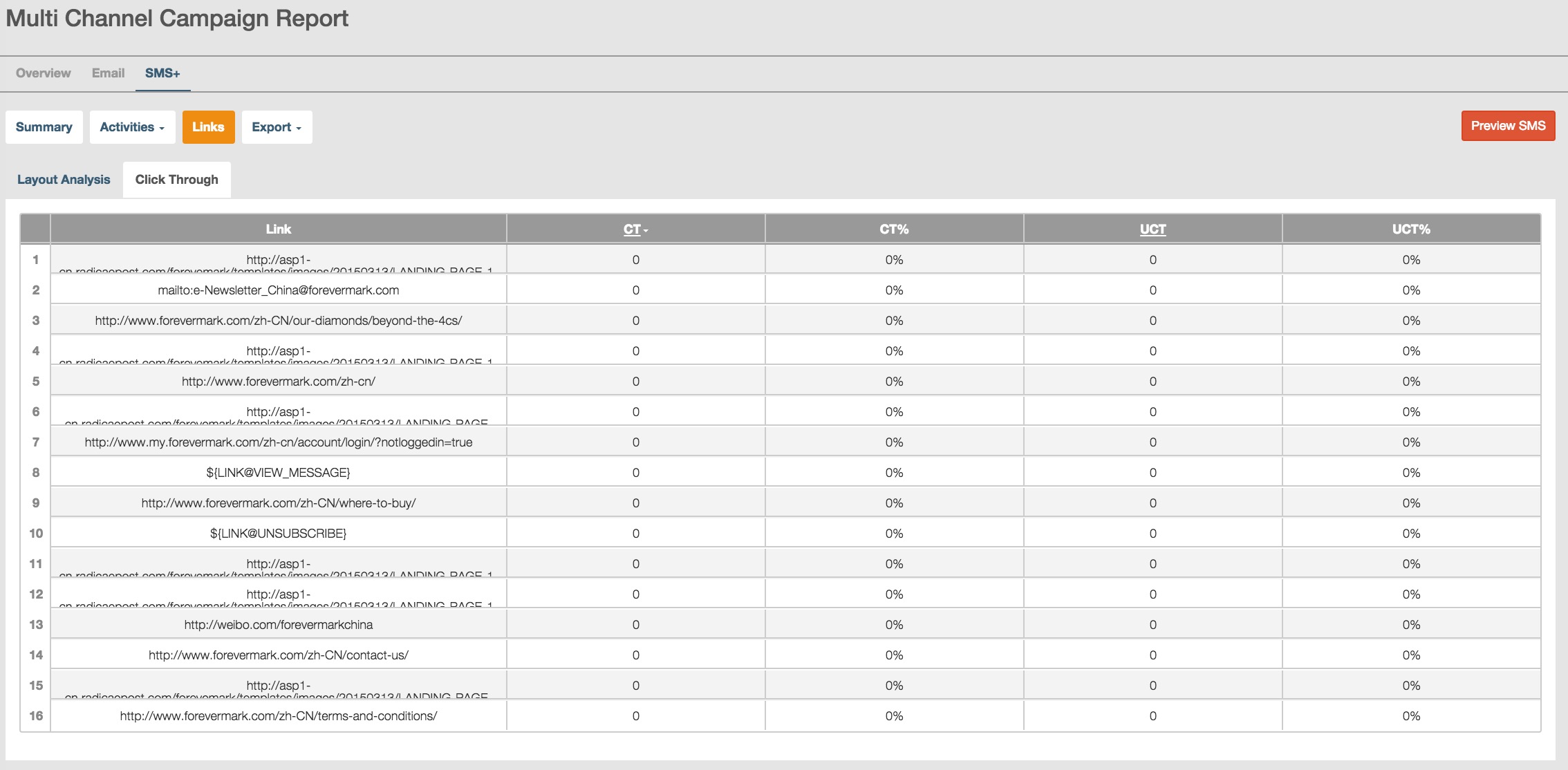
For more operation details of link tab page, you can refer to the activities tab of Email campaign report.
Export SMS channel report
You can click button to choose to export SMS summary PDF summary report or transactional data in ZIP file format.
Preview SMS message
You can click  to preview SMS messages.