
Customer service pages include Forward‐to‐Friends and Unsubscribe pages. RiMANGGIS has configured three kinds of default languages: English, Simplified Chinese and Traditional Chinese, users can select service page languages according to their requirements. It also provides edited contents in each label column; users can modify the content according to their requirements.
You can use service pages of RiMANGGIS or upload your personalised service pages.
Default service page
Click ‘Service page label’ in database menu to edit service pages. RiMANGGIS supports Traditional Chinese, Simplified Chinese and English and has preset default contents of service pages with three kinds of languages.
RiMANGGIS provides three kinds of service page: Forward-to-Friends Page, Email unsubscribe page, and SMS unsubscribe page.
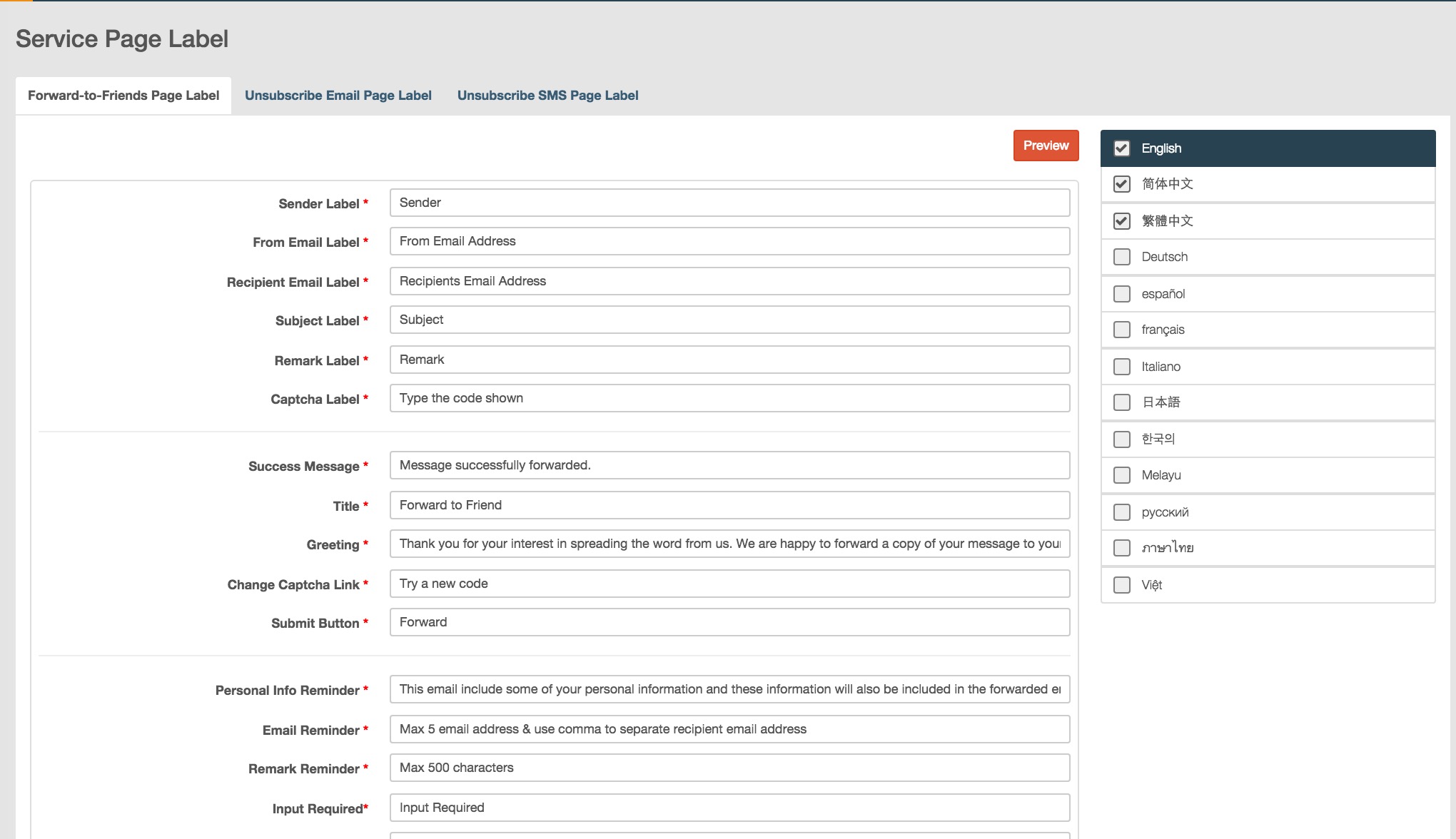
Edit service page
You can configure multiple languages and edit text content of your service page.
1. Click the check box to select language for your service pages.
2. Click information fields and edit contents of your service page.
Preview the content of service page
You can click Preview to view your service page. The language menu in the right top corner of service page includes all your configured languages. You can click the language menu and select the language to preview corresponding service page.
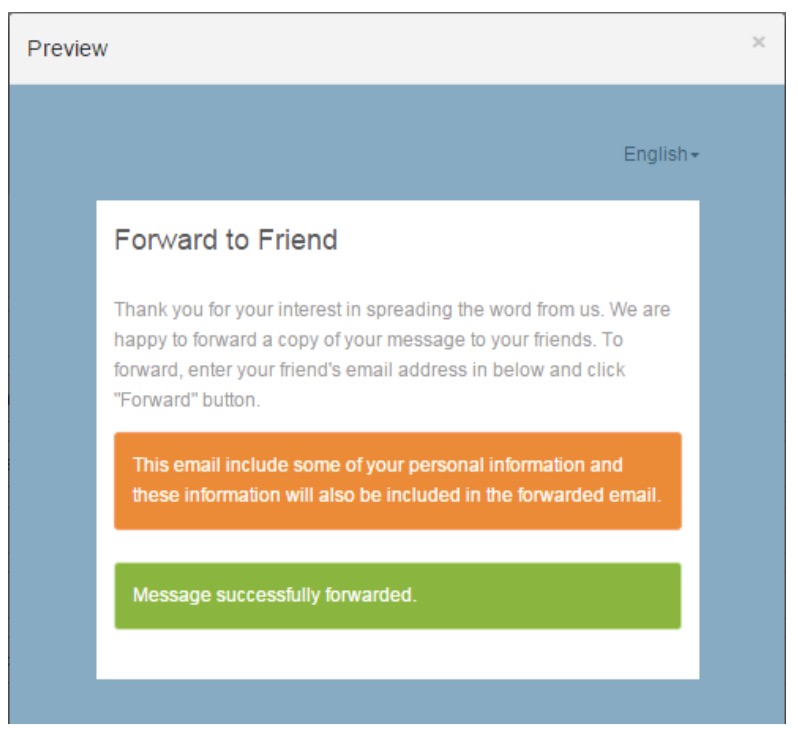
You can preview the result message of delivered service page.
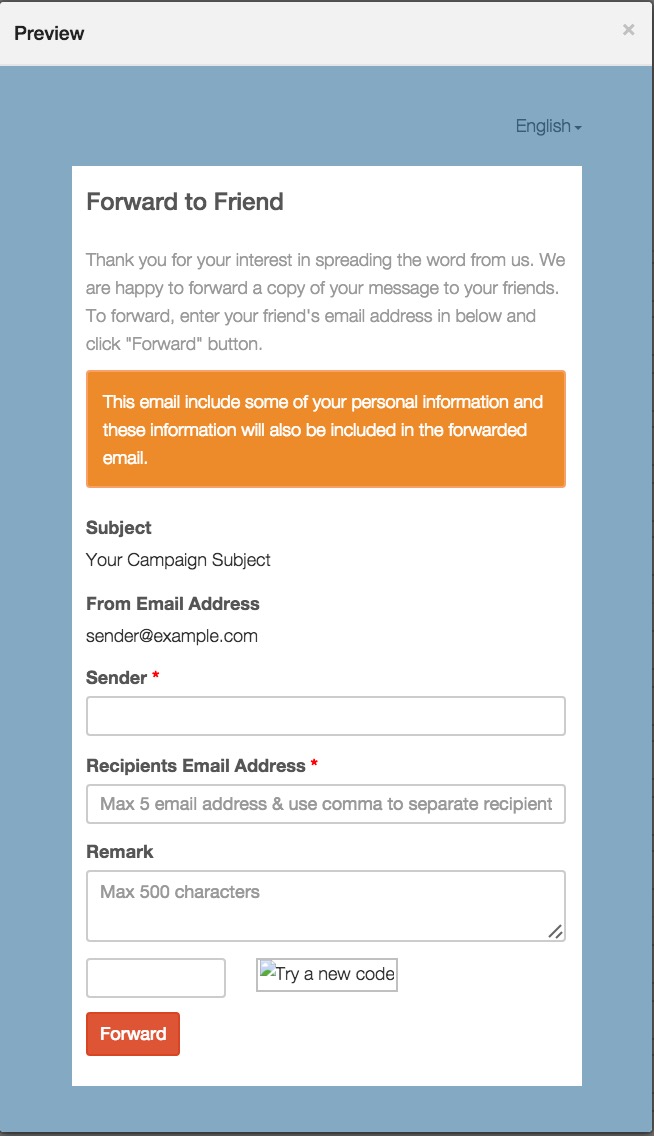
Preview result message of forward‐to‐friends page:
1. Input complete sender email address.

2. Input the complete email address or select the domain from drop down list by inputting your email name in the field of Recipient Email Address. You can input 5 email addresses at most and use comma to separate recipient email.

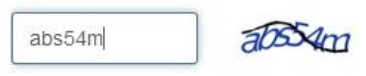
3. Type the verification code and click ‘Forward’.
4. You will preview following result message page.
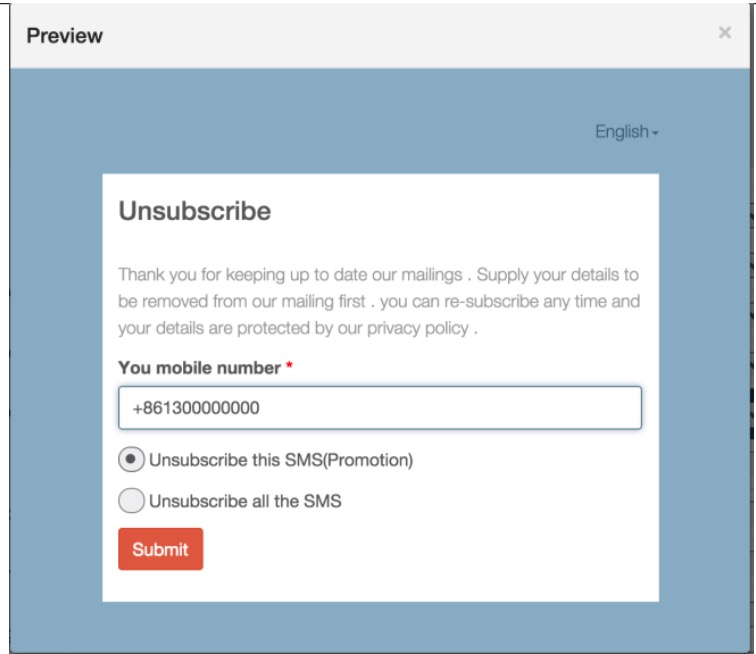
Preview result message of email unsubscribe service page
The operation method of SMS preview page is identical with Email unsubscribe page. The difference is that unsubscribe customers’ needs to submit email address in Email unsubscribe page, and submit mobile number in SMS subscribe page.
Upload customised service page
You can upload and use your personalized service pages if you don’t want to use the default service pages in RiMANGGIS.
Click ‘Customized Service page’ in database menu to upload your service pages.
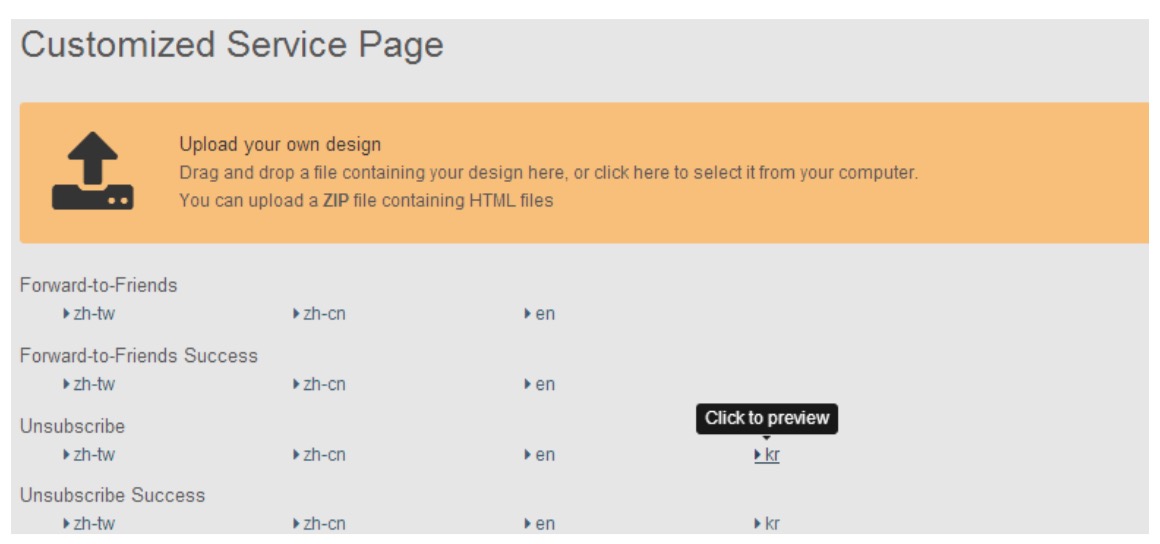
In the list of uploaded service pages below upload area, you can click the version name to view corresponding service pages.
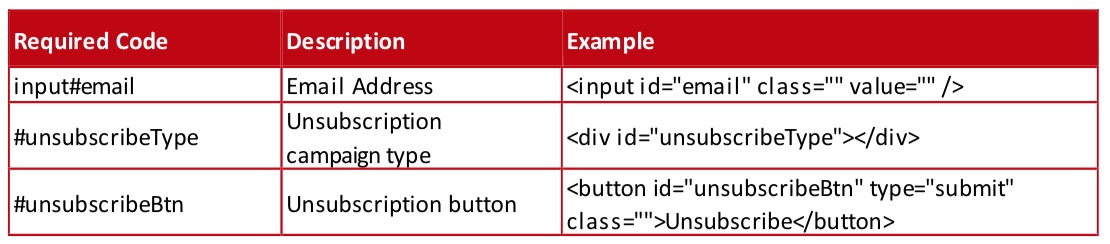
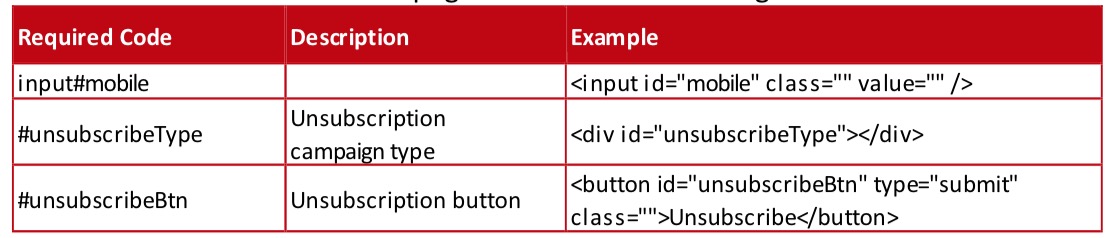
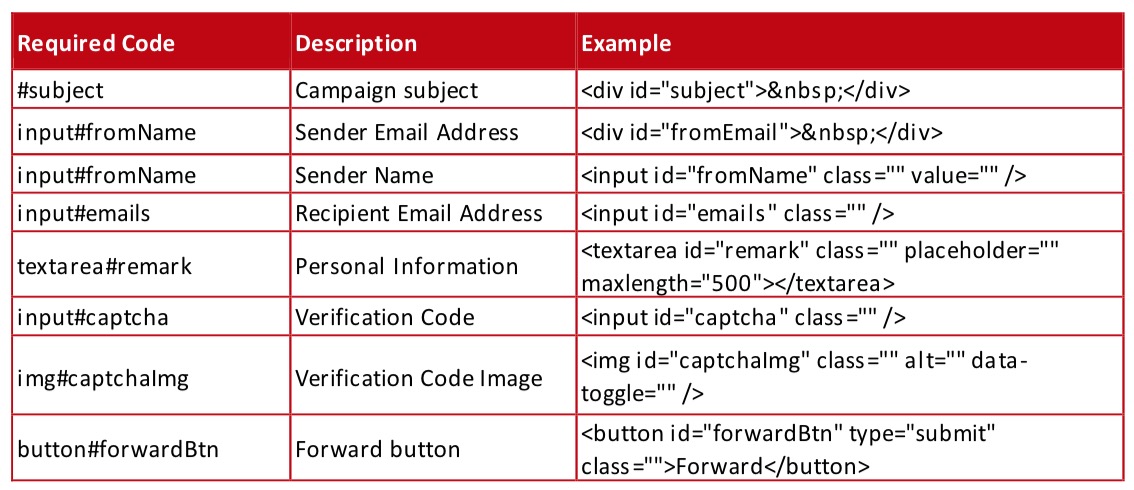
The uploaded html pages of ‘Unsubscribe’ and ‘Forward‐to‐Friends’ must include following specified code, otherwise the information cannot be successfully submitted.
- The Email Unsubscribe page must include following code:
- The SMS Unsubscribe page must include following code:
- The Forward‐to‐Friends html page must include following code:
The uploaded zip file must include four file folders: forward, forwardSuccess, unsubscribe, unsubscribeSucess. Files in each folder must be matched; otherwise system will report error message and files cannot be uploaded automatically.You can refer to the template zip file to make your customized service page file.