
View your customer records
Click Customers in database menu to enter customer management page. You call view all customer records in database. The figure in the right top corner indicates the total number of customers in database.
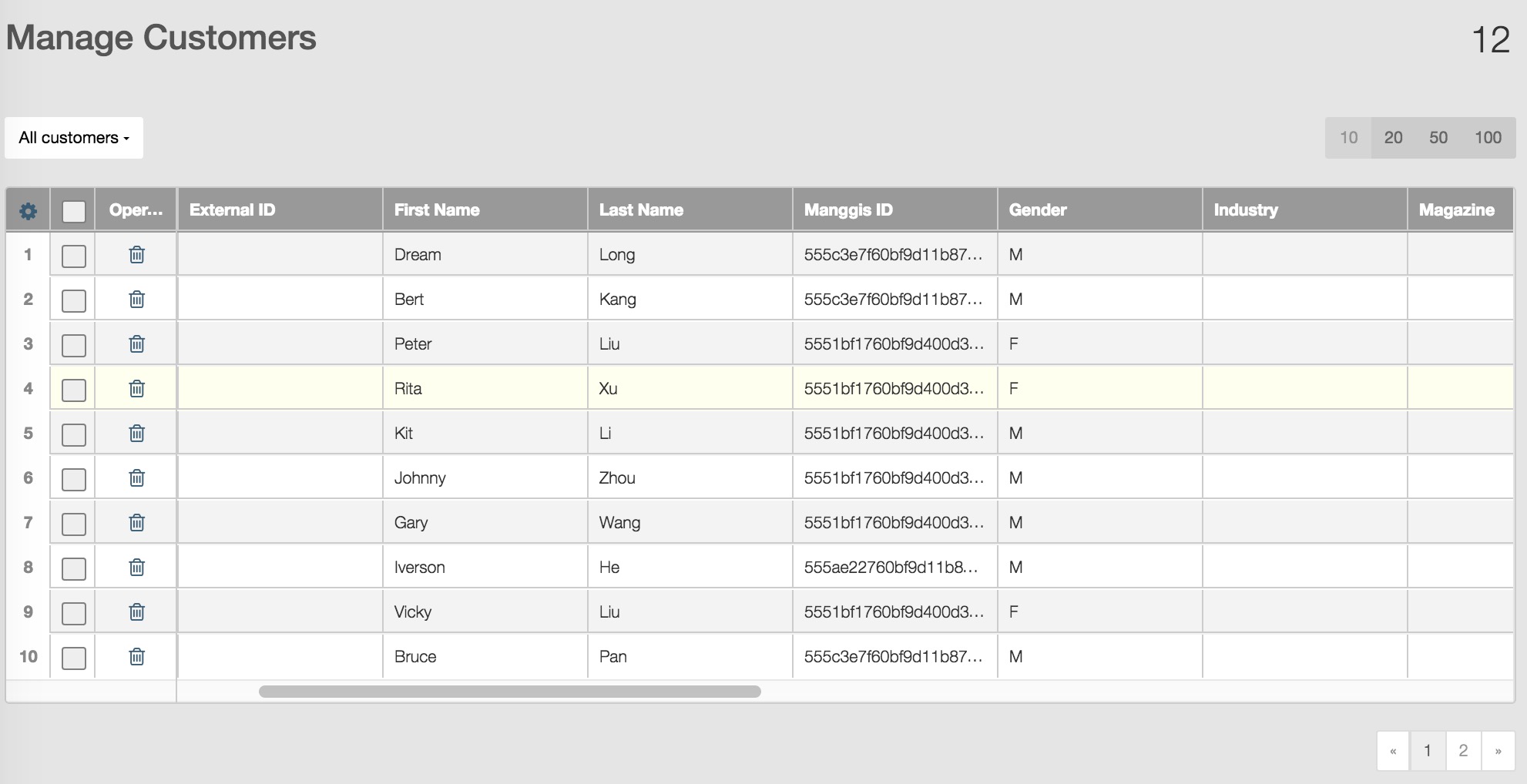
You can set the number of rows displayed in a page.
You can click the diplay setting button in the left top corner of table to set display parameters.
Customer categories
Customer records are classified into four categories:
- General customer records imported by users for campaigns.
- Opt‐out customers: Customers can unsubscribe campaigns by clicking the unsubscribe link in email.If a customer chooses to unsubscribe emails, RiMANG‐ GIS will automatically add this customer record into opt‐out list. Customers can also unsubscribe by phone, fax or other communication tool, users can make a list for unsubscribe customers and import the records into database as opt‐out list.
- Hard bounce customers who failed to recive campaigns due to hard bounce.
- Spam complaint customers who regard campaign emails as spam and submit complaint.
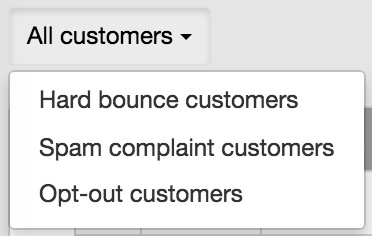
The customer management all customers in database, you can click the customer drop down button  to select the type you want to view and manage related customer records.
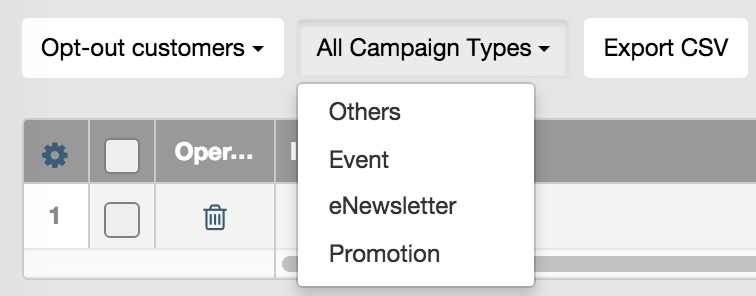
If you choose to view opt‐out customers, you need to select the unsubscribe campaign type.
If you have spam complaint customers,unsubscribe customers or hard bounced customers, you can contact them and find out the reason for complaints, unsubscribe or hard bounce to improve your campaign efficiency.
If you want to view a customer’s profile, you can click his or her email address to see detailed profile.