
The usage report records the campaigns summary in each database. You can click ‘Usages’ in administration menu to enter usage report page.
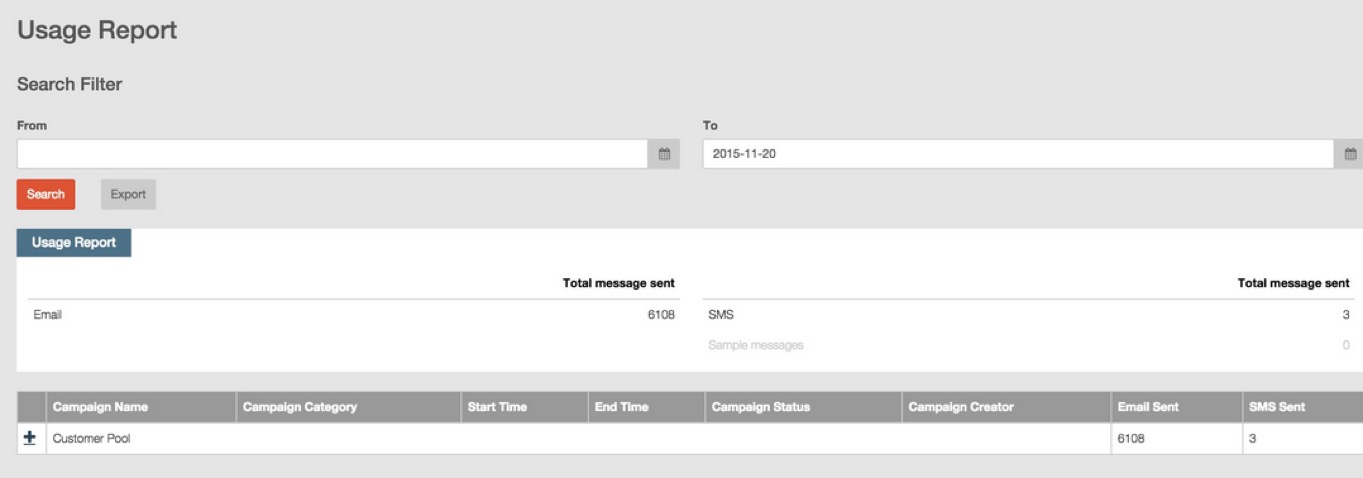
You can view all campaigns in every database, the report records detailed information of campaigns including campaign name, campaign category, start time, end time, campaign status and the number of campaign sent messages (email and SMS).
All the campaigns are classified into groups by their database. You can click the symbol  before a database to view all the campaigns in this database.
You can set filter conditions to find records in specified time period.
You click “Export” button to export usage reports in specified time period and databases.