
Click ‘Audit Log’ in administration menu to enter audit log management page, you can view all information of operators including IP address, user name, users working area, action and related time, operation details description. You can also set the search filter conditions to quickly find out the records you want.
The filter conditions include operation time period , operation working area, and email, you can set one of condition or all of them to searching records.
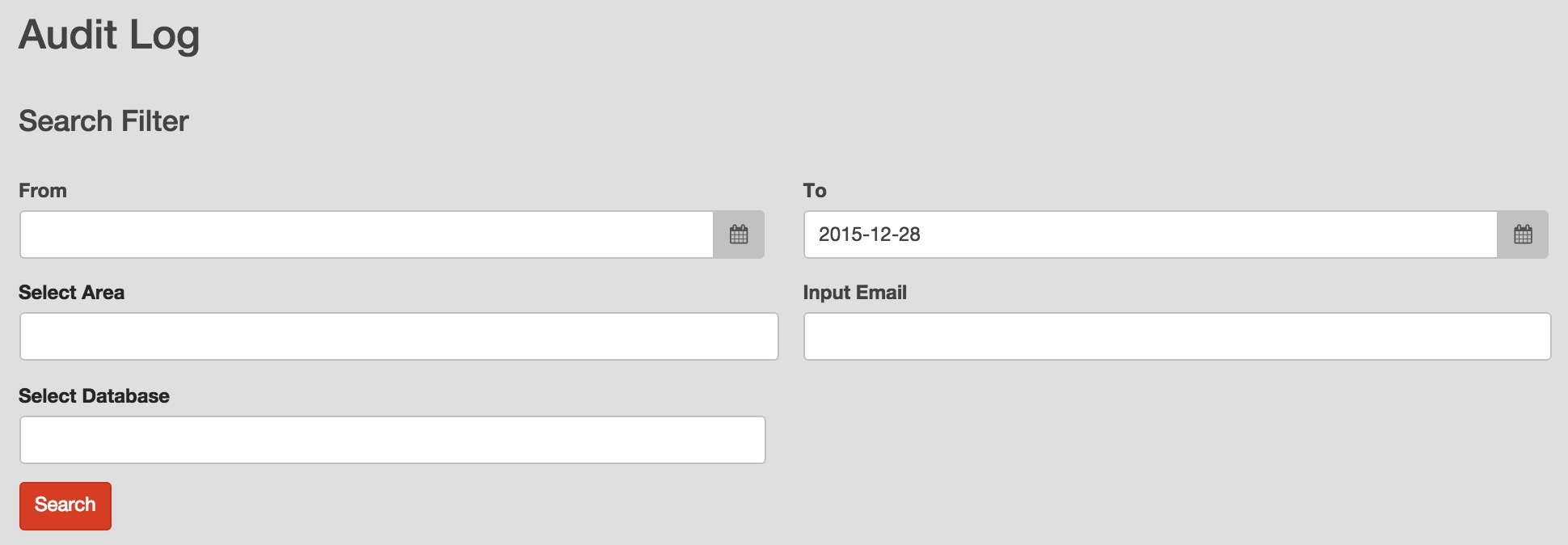
- Set time period filter condition: you can set time value in “From” and “To” field, input date value in the format of “yyyy‐mm‐dd” or directly click the calendar to select a date value from drop down calendar list.All audit log records happened in the specified time period will be retrieved.
- Set area options: you can select an operation area to find corresponding audit log records.
- Set email address filter condition: you can input a operator email address to find all records of the operator.
- Select database: you can click to select a database to find all audit log records of the database.
After you finish filter condition setting, you can click  to find audit log records which match the filter conditions.
The number of displayed rows in a page can be set, you can set it as 10, 20, 50 or 100.
If you specify a database to view audit log, you can not select options of LOGIN, ROLE, API KEY and USER in “Select Area” field.