
Reset your password
If you forget your password or your account is automatically locked because of wrong password inputting over five times, you can click the link ‘Forget your password’ below the password input field to reset your password
RiMANGGIS will send an email to your mail box. You need to click Reset Password to jump to RiMANGGIS page and reset your password.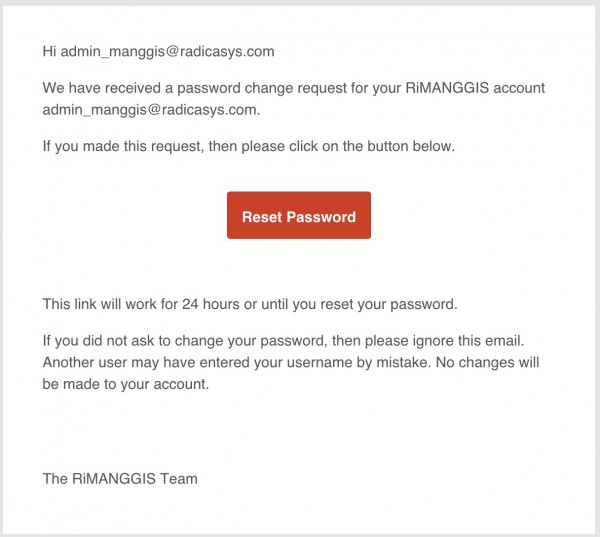
You need to finish password reset in 24 hours after receiving the email, otherwise the password reset link in the email will expire and you need to click ‘Forget your password’ to reapply password reset request.
Change your password
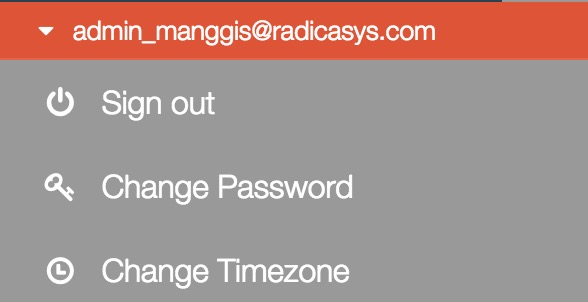
If you want to change your password, you can open your user menu and click ‘Change Password’ to open password setting window.
 ↓
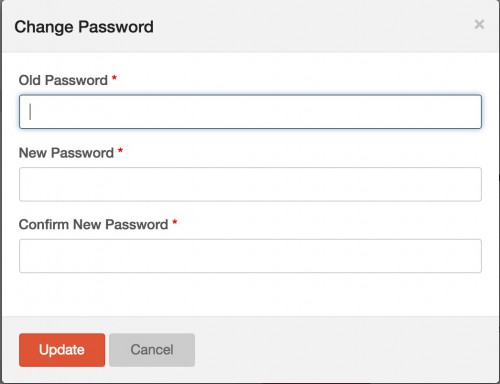
1. Input correct old password.
2. Input your new password in the field ‘New Password’
3. Repeat your new password in the field ‘Confirm New Password’. 4. Click Update to save your new password.
The new password will be valid when you login to RiMANGGIS next time.