
The following screenshot image displays an overview of all the operation menus used in RiMANGGIS system.
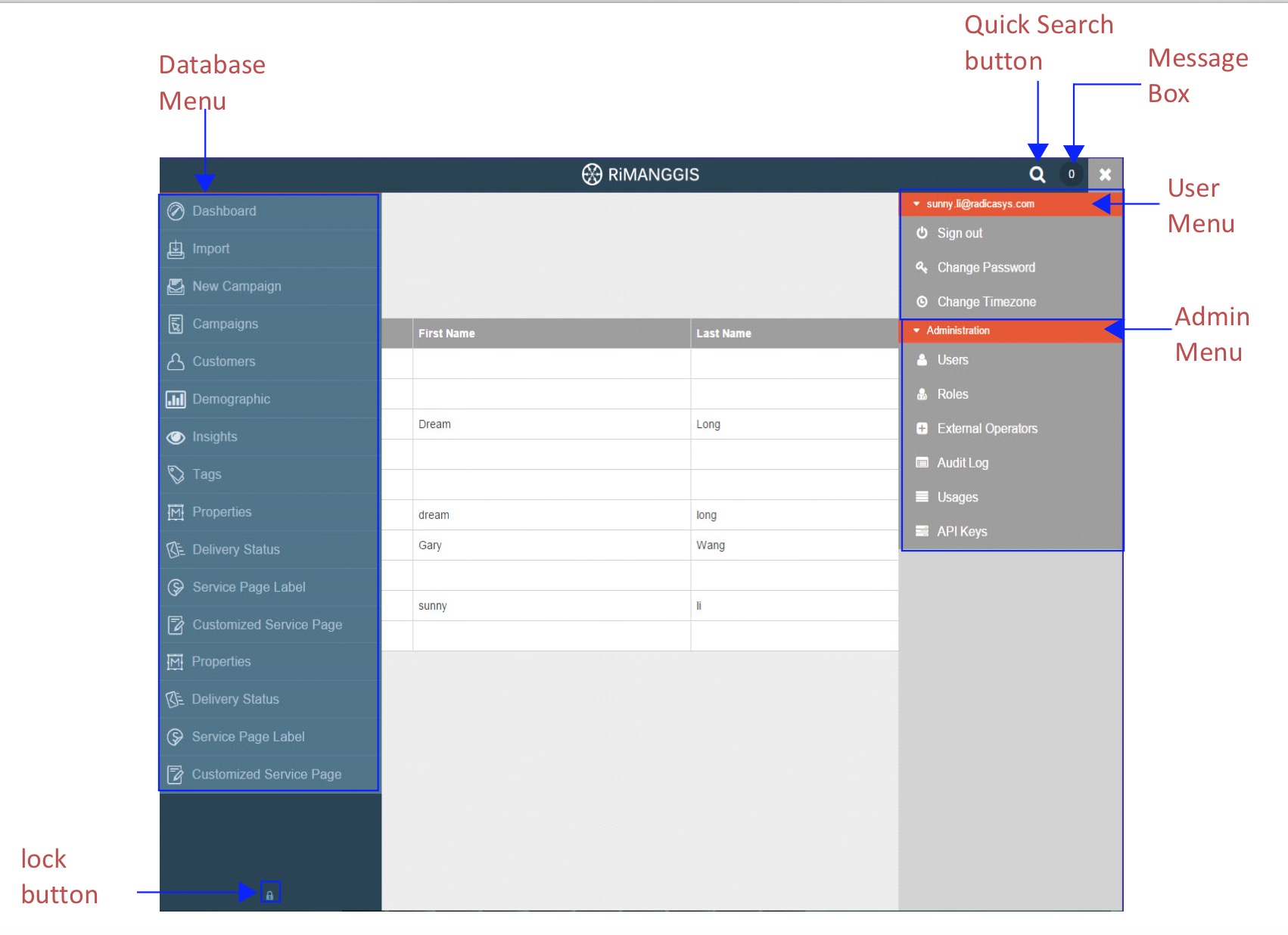
- Database menu is used to manage customers, campaigns and statistical data reports in database. The operation menu of every database is independent and users can only access granted databases and menus. Users can click the icon
in the left top corner to extend database side menu, the menu will automatically hide if you move your mouse out of the menu panel. The lock button at the bottom of the menu panel is used to lock and fix the menu. - User name is in the right top corner of RiMANGGIS web page. Users can click user name to open user menu.
- The administration menu is only accessible to system user and super user, it is used for system administration settings.
- The quick search button is used to search customer or campaign records quickly.
- Message box is used to view all operation records of users.The number of message box indicates user’s recent operation times. The messages can be classified into three types:
• All: all operation messages.
• Import:Users can view all import operation messages and click ‘see why’ if the import operation has problems.
• Export: Users can view all export operation messages and click ‘download’ to download the exported files.
• Notification: Users can view all operation result messages such as locked, suspended, approved.In all operation pages, the fields marked with symbol * are mandatory fileds and users must fill in information in these fields to finish operation.RiMANGGIS supports intelligent zoom function, you can flexibly make your operation page zoom in or zoom out while using RiMANGGIS. It is recommended to operate RiMANGGIS with specific web browser, for more configuration details, please refer to Basic configuration requirements in Appendix.