
Click  in campaign management page and select A/B Split Test (Email Subject) to design your campaigns with two subject versions.
The basic steps for creating A/B Split Test includes step, design, plain text and confirm.
Setup step
After you click to create A/B Split Test campaign, you will directly enter the setup step page of A/B Split Test campaign.
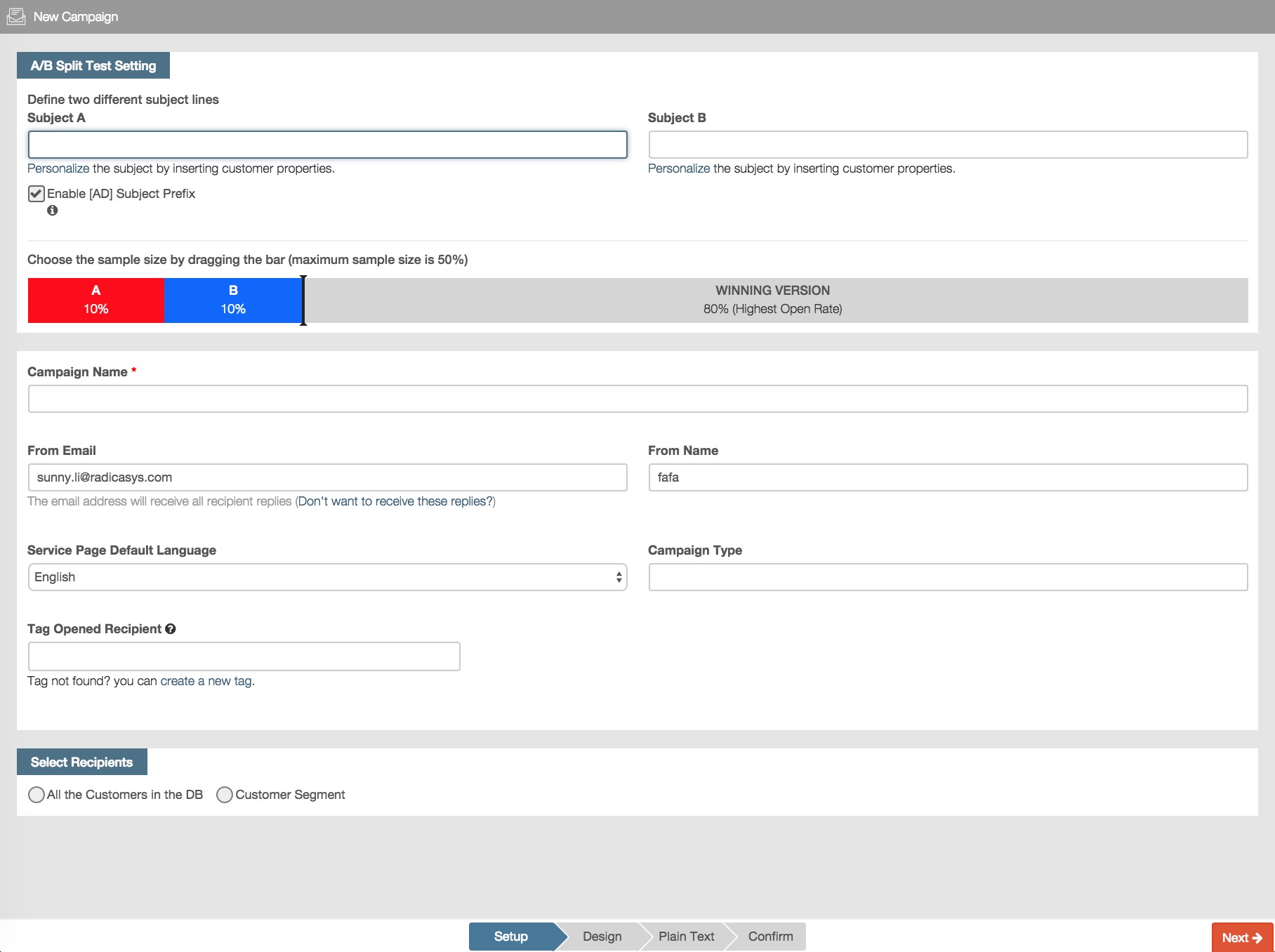
Define subject lines and sample size
Subject lines of A/B Split test campaigns
Being different from the setup of regular campaign, you can define two versions of subject lines.

Campaign sample size
You need to use your mouse to move the cursor onto the dark line and it will become a symbol as vertical double‐headed arrow.
You can click the arrow to drag the sample size bar to set the proportion of sample customers for test.

After you finish your setup information setting, you can click  or design step page.
A/B Split Test design and plain text
In design step page, firstly you will the following file uploading page, you can upload local zip file ot html page file to upload and design, or click “Skip” to ignore this step and directly enter the html design page with CK editor.

The operation method for html page design with CK editor and plain text is identical with the steps of “Design ”, please refer to the design step of Email campaign and the plain text step of Email campaign.
Check and confirm your A/B Split Test Campaign
Set test schedule
Being different from the schedule of regular campaign, you need to specify the time period for A/B campaign test. RiMANGGIS will execute the test in the specific time period and then decide the winning version campaign to be sent.
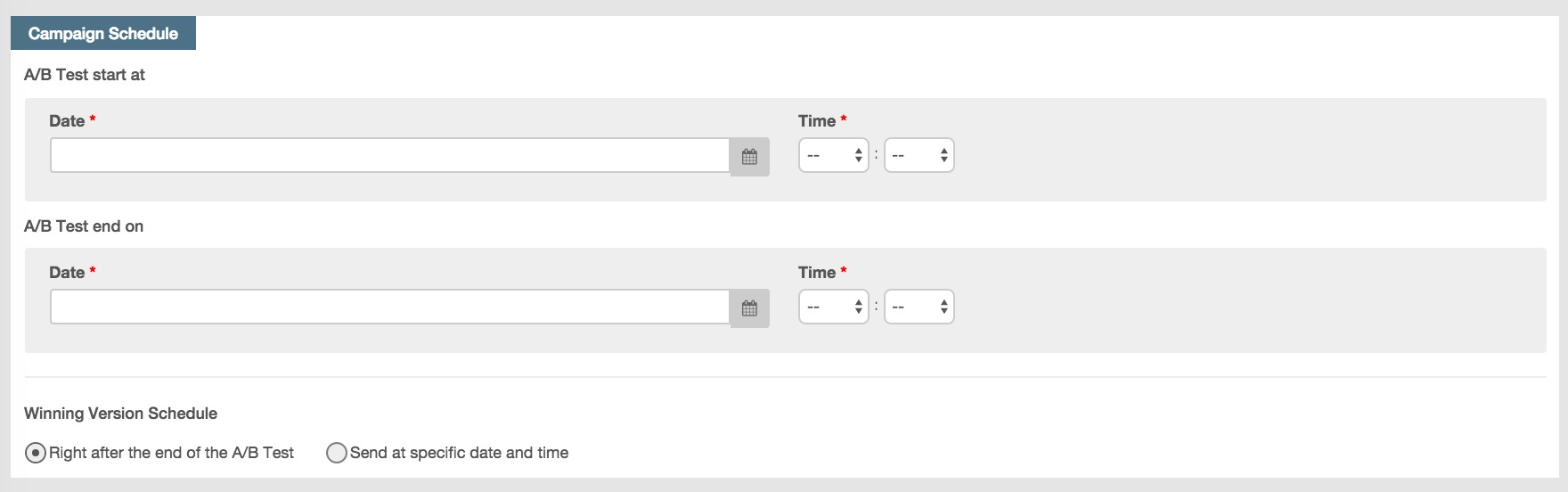
You need to set the sending schedule of the winning version campaign.
- For immediate schedule, the winning version campaign will be sent immediately after the test is finished and the campaign is approved.
- For specific time schedule, the winning version will be sent at the specified time after the test is finished and the campaign is approved.
The other operation for confirmation and sending campaign is identical with the steps for general new campaign. Please refer to the confirmation step of Email campaign.