About campaign category
RiMANGGIS provides powerful campaign design and management functions for users to easily and effectively complete campaigns activities.
Users can create three kinds of campaigns: Email campaign, A/B Split Test campaign and Multiple Channel campaign.
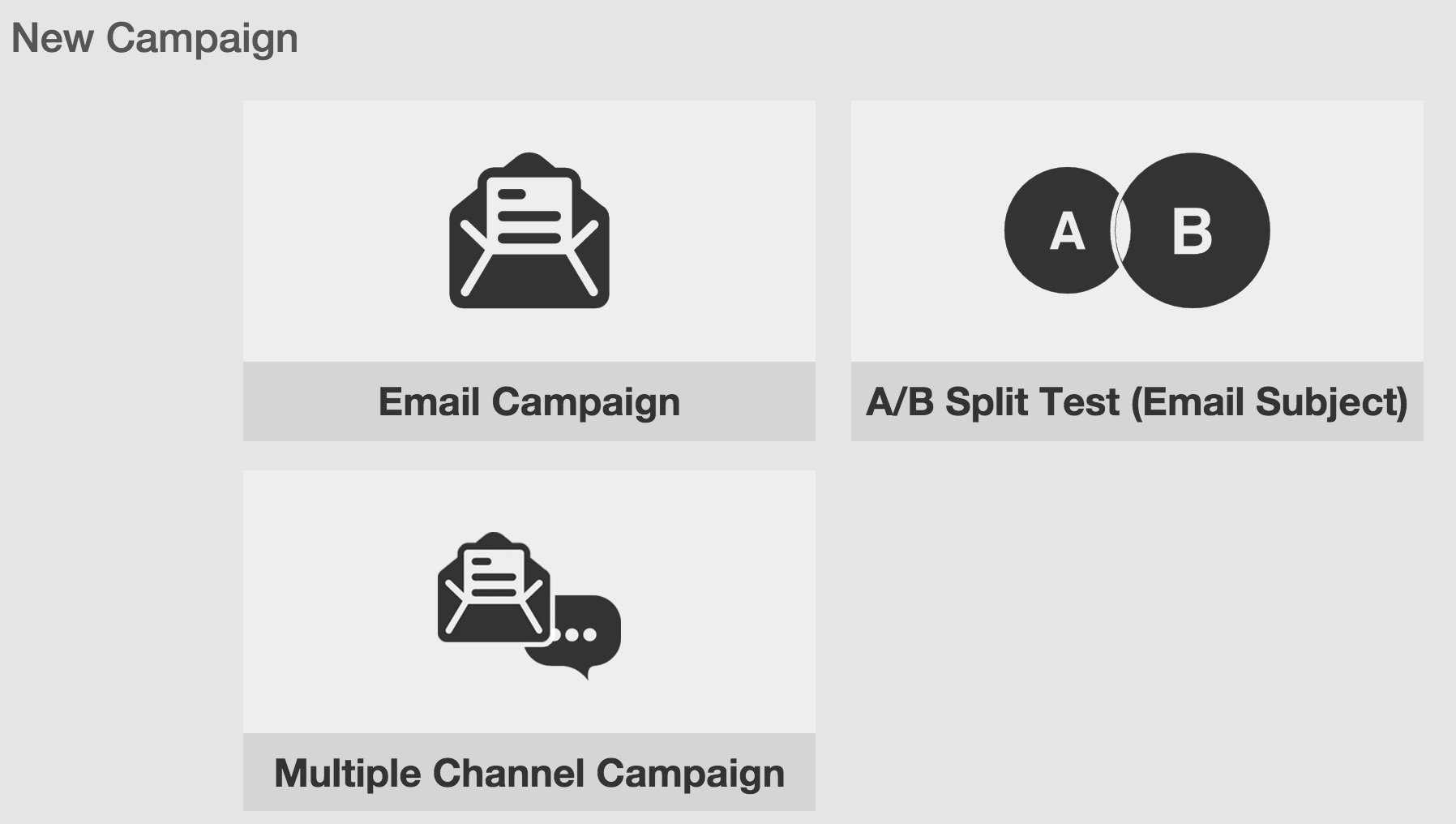
- Email Campaign is used to create single Email channel campaign.
- Multiple Channel Campaign is used to create Email and SMS channel campaign, and users can configure campaign delivery channels by themselves.
- A/B Split Test (Email Subject) is used for campaigns with two version If users make two subjects of a new campaign and cannot decide which subject will be more popular with customers, they can use A/B Split Test. Please refer to Definition. to get more information about A/B Split Test campaigns.
Creating Email campaign or A/B Split Test campaign needs users to complete campaigns by four steps:
Setup ‐> Design ‐> Plain Text ‐> Confirm
Creating multiple channel campaign needs to complete the following four steps:
Setup ‐> Template ‐> Design ‐> Confirm
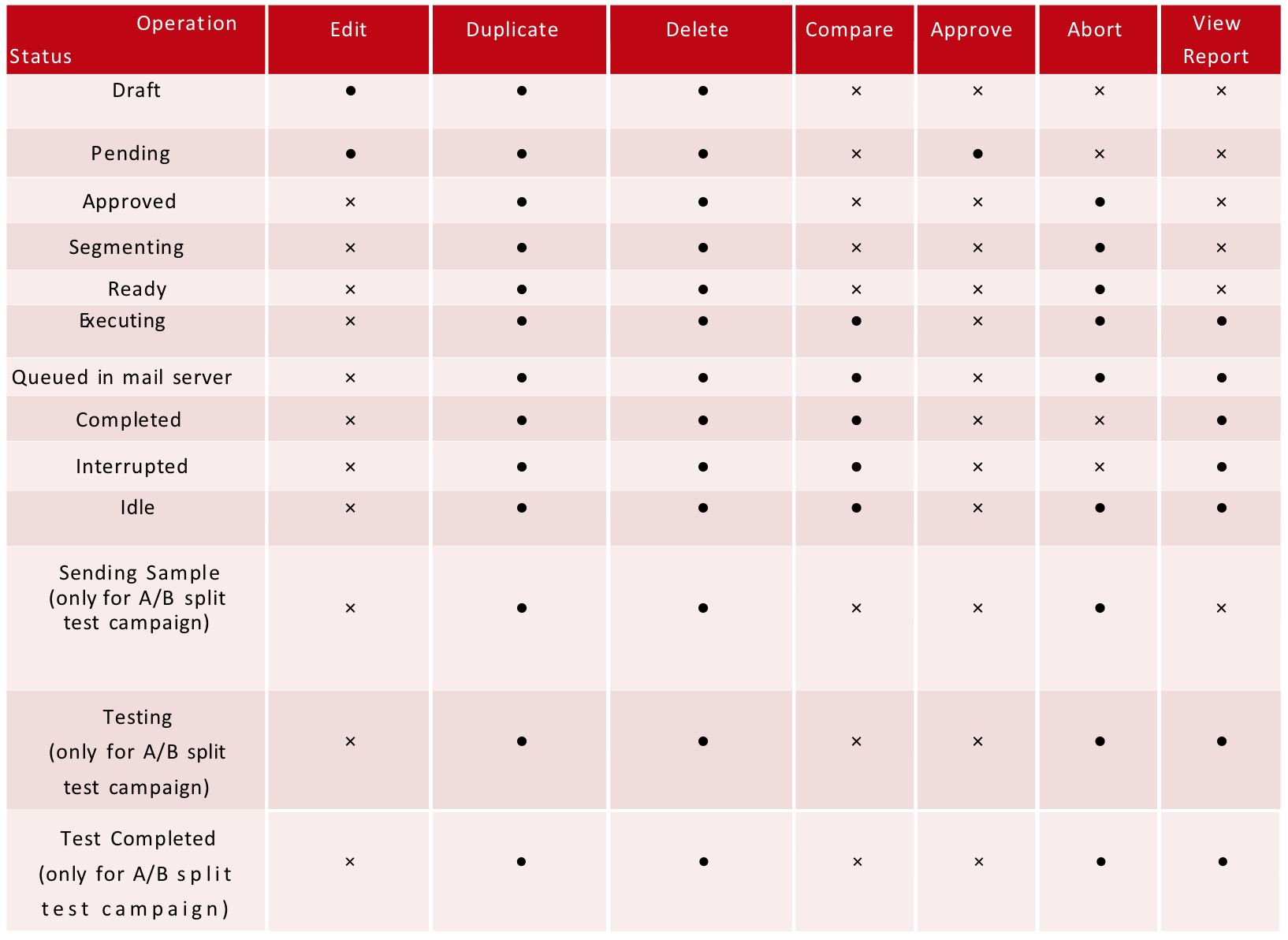
Email Status and Operation menu
Users can view and manage all campaigns created in database. RiMANGGIS has marked campaign status of Email channel status:
- Draft: Campaign which has not finished all steps set
- Pending: Campaign which finishes all steps and is pending for approv
- Approved: Campaign which is approved and will be sent out on specified schedu
- Segmenting: Campaign which starts to execute recipients’ segment rules and daily volume configuration.
- Ready: Campaign which has completed segmentation and is ready for
- Executing: Campaign of which emails are sending from RiMANGGIS to mail server.
- Queued in mail server: Campaign of which emails have been sent to mail server and are waiting for sending in mail sever
- Completed: Campaign of which emails are all delivered to recipients.
- Interrupted: Campaign aborted due to high hard bounce rate or manual sus
- Idle: Campaign in sending execution but not yet completed by the end of the day due to daily email sending volume control.
- Sending Sample (only for A/B split test campaign): Campaign of which test sample emails are being sent to mail server.
- Testing (only for A/B split test campaign): Campaign of which test sample emails are delivered to test recipients and RiMANGGIS is collecting open/click testing
- Test Completed (only for A/B split test campaign): Campaign which is completed for testing data collection and is ready for sending winning version email.
Email Status operation limitation
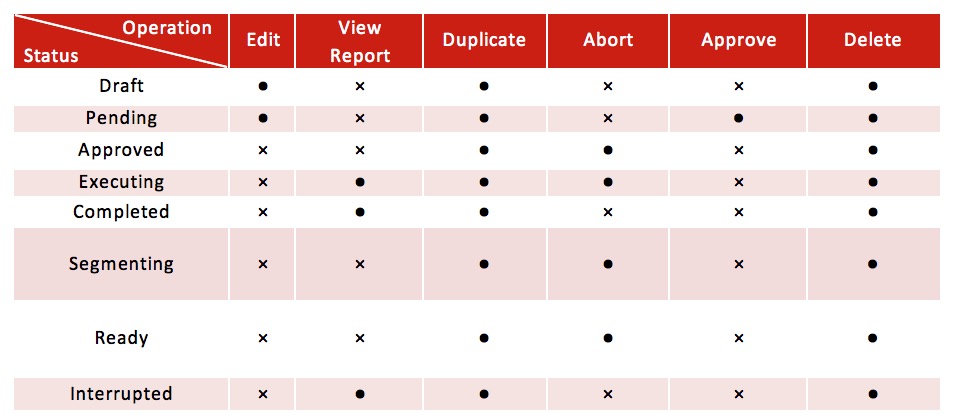
SMS Status and Operation menu
The SMS campaign status is classified into six statuses:
- Draft: Campaign which has not finished all steps setting.
- Pending: Campaign which finishes all steps and is pending for approval.
- Approved: Campaign which is approved and will be sent out on specified schedule.
- Segmenting: Campaign which is check segment conditions to find recipients.
- Ready: Campaign which has completed segment conditions and is ready for sending.
- Executing: Campaign sending out.
- Completed: Campaign sent out.
- Interrupted: Campaign aborted manually by users or automatically by RiMANGGIS because of SMS account disabling, quota insufficiency or expiration.- Users can manually abort approved or executing SMS campaign, and the status will be turned into ‘interrupted’.- If the SMS quota is insufficient for current SMS channel messages sending or the quota is expired, the SMS status will be automatically changed into “interrupted”.
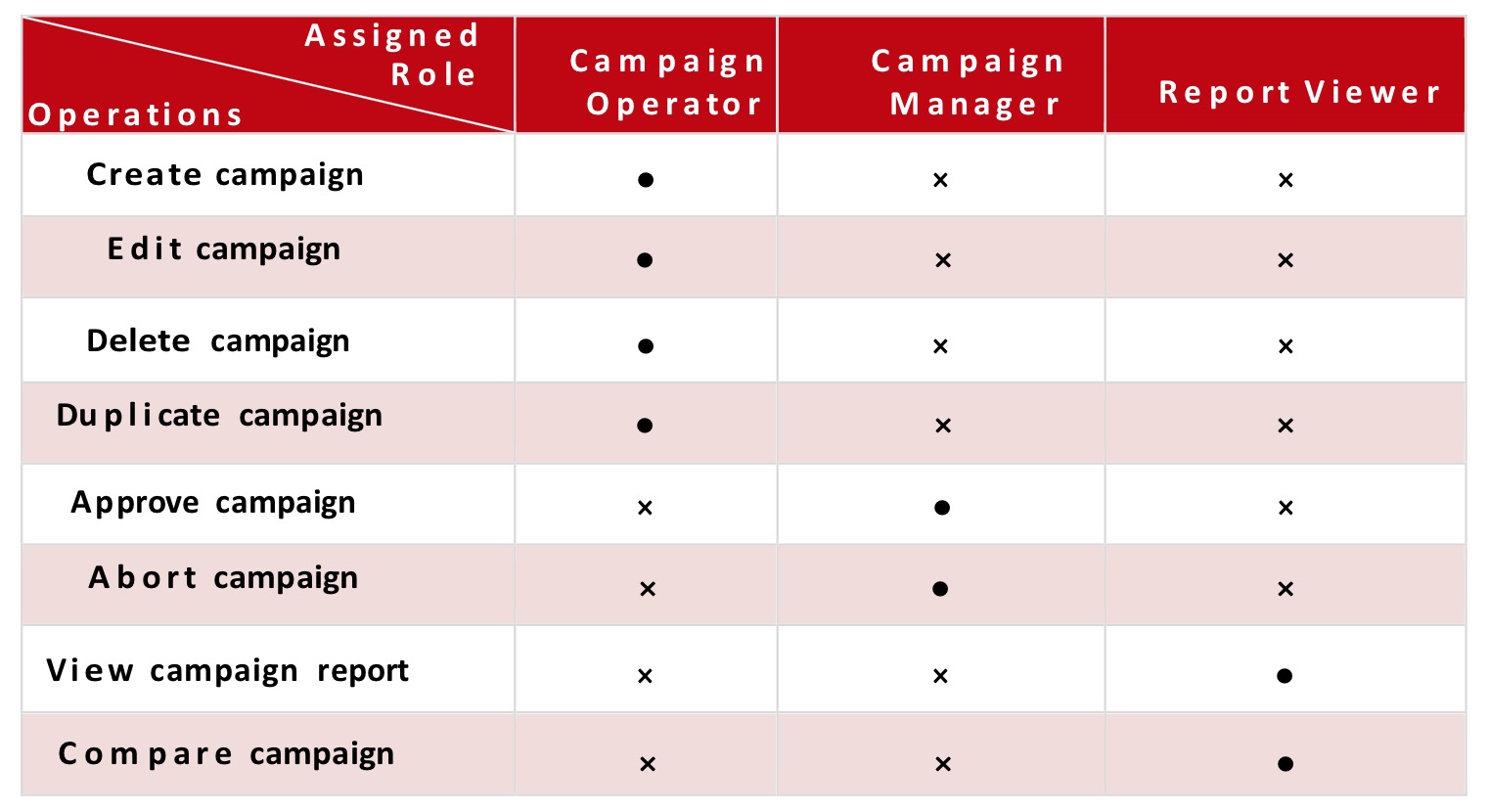
 Users can manage campaigns according to their assigned role rights, the relationship between campaign operations and user rights is described as following table.
Campaign Role Rights
Users can manage campaigns according to their assigned role rights, the relationship between campaign operations and user rights is described as following table.